

10+ Things to Know About the New AirTag 2
After a five year wait, Apple finally unveiled the next-generation version of the AirTag earlier today. The AirTag 2 looks exactly like the original AirTag, and the functionality is similar, but there are still some differences worth knowing about.
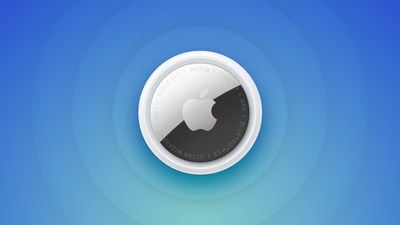
Here’s everything new.
- UWB 2 – The AirTag 2 adopts Apple’s second-generation Ultra Wideband (UWB) chip.
- Longer Range – UWB upgrades mean that Precision Finding works from 1.5x further away than before. Precision Finding is the feature that allows an AirTag to be precisely located in a close-range indoor area. It is able to lead you directly to the AirTag with a compatible device.
- Precision Finding on Watch – Precision Finding was previously limited to the iPhone, but it now works on the Apple Watch Series 9 and later and Apple Watch Ultra 2 and later, as these devices have UWB chips.
- Louder Speaker – The AirTag 2’s speaker is up to 50 percent louder than the speaker in the original AirTag. The upgrade will make it easier to hear when playing a sound, plus it is an additional anti-stalking measure because it will be more difficult for sound to be masked.
- Better Bluetooth – Apple is using a newer Bluetooth specification with increased range.
- New Internal Design – To accommodate the updated speaker, Apple revamped the internals. Rumors suggested Apple would make it harder to tamper with the AirTag to remove the speaker, but we’ll need to wait for a teardown for confirmation.
- Updated Weight – The AirTag 2 weighs 0.42 ounces or 11.8 grams. it is seven percent heavier than the original AirTag.
- Revamped Text – The text on the back of the AirTag is now all in capital letters, which is a good way to determine whether an AirTag is the first-generation model or the new model. The text also now lists IP67 water and dust resistance, plus it mentions NFC and Find My support. These features aren’t new, but aren’t listed on the back of the original AirTag.
- Still Not For Pets – Apple’s AirTag 2 announcement and product page specifically state that the device is for tracking objects, and not people or pets. Despite this, many people use AirTags for tracking their animals.
- Reset Process – To reset an AirTag 2, you need to remove the battery, leave it out for at least five seconds, and then insert the battery again. The process has to be repeated four times. Apple says that it can take up to 12 seconds to hear the final tone. With the first AirTag, there was no need to wait after removing the battery before reinserting it.
- Requires iOS 26.2.1 – If you want to use an AirTag 2, you’re going to have to update your device to iOS 26.2.1. The AirTag 2 requires the latest Apple software, which means it won’t work with devices that aren’t able to run iOS 26.
The AirTag 2 does everything that the original AirTag does, taking advantage of the Find My network. When the AirTag is not in Bluetooth range of your own device, it is able to ping Apple devices owned by others to relay its location back to you for long distance tracking.
It also supports Lost Mode, with an NFC feature for discovering who a lost item belongs to, plus it has options for sharing item location with someone else (useful in airports with participating airlines), and it continues to use a CR2032 coin cell battery. Apple says the battery “works for more than a year” before needing to be replaced.
The AirTag 2 is still priced at $29, with a pack of four available for $99. Free engraving is also included in the price point. The new AirTag can be purchased today, with orders set to be delivered starting on Wednesday, January 28.
Popular Stories
Apple today introduced the second-generation AirTag, with key features including longer range for tracking items and a louder speaker.
For those who are not familiar, the AirTag is a small accessory that you can attach to your backpack, keys, or other items. Then, you can track the location of those items in the Find My app on the iPhone, iPad, Mac, Apple Watch, and iCloud.com.
The new…
Apple Reportedly Aiming to Upgrade the MacBook Pro Twice This Year
Apple plans to release new MacBook Pro, MacBook Air, Mac Studio, and Studio Display models in the first half of this year, according to Bloomberg’s Mark Gurman.
In his Power On newsletter today, Gurman added that redesigned MacBook Pro models with an OLED touch screen “should be hitting toward the end of 2026,” meaning that the MacBook Pro line would be upgraded twice this year.
First up…
Apple to Launch These 20+ Products This Year
2026 promises to be yet another busy year for Apple, with the company rumored to be planning more than 20 product announcements over the coming months.
Beyond the usual updates to iPhones, iPads, Macs, and Apple Watches, Apple is expected to release its all-new smart home hub, which was reportedly delayed until the more personalized version of Siri is ready. Other unique products rumored for …
What to Expect From iOS 26.4
iOS 26.3 is shaping up to be a relatively minor update, with only a couple of notable new features, but iOS 26.4 is expected to be much more significant.
We are still waiting for the iOS 26.3 Release Candidate to come out, so the first iOS 26.4 beta is likely still at least a few weeks away. Following beta testing, iOS 26.4 will likely be released to the general public at some point in March …
Apple Unveils First New Products of 2026
Apple today introduced its first two physical products of 2026: a second-generation AirTag and the Black Unity Connection Braided Solo Loop for the Apple Watch.
Read our coverage of each announcement to learn more:Apple Unveils New AirTag With Longer Range, Louder Speaker, and More
Apple Introduces New Black Unity Apple Watch BandBoth the new AirTag and the Black Unity Connection Braided…
Comments are closed.